

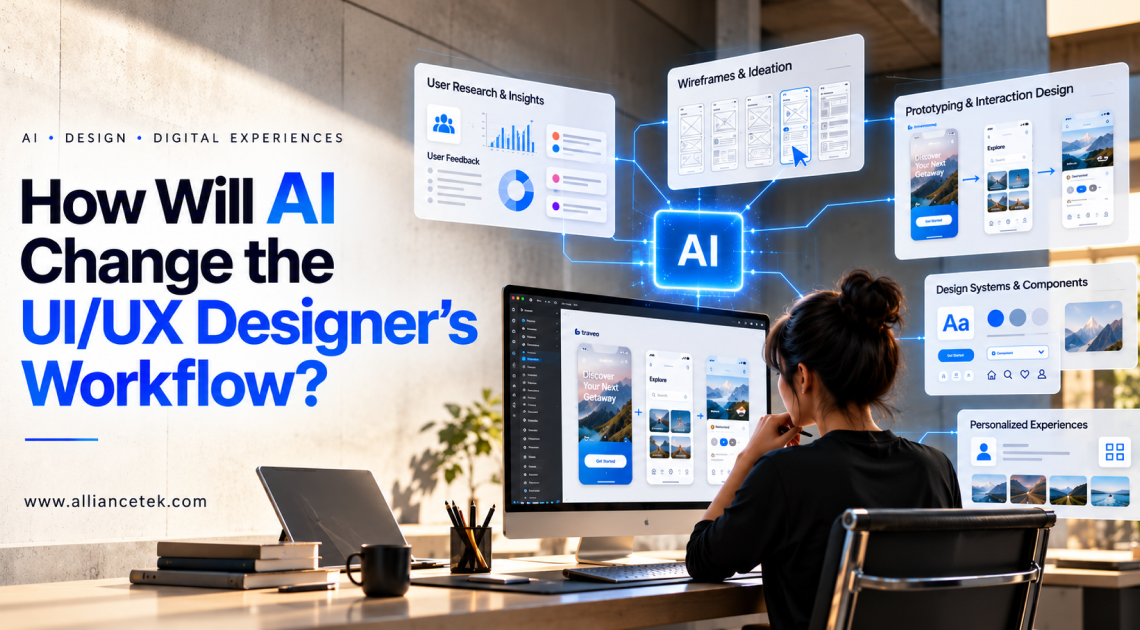
UI/UX design has always required a balance of creativity, user research, problem-solving, and technical understanding. Designers need to understand user behavior, organize information, create intuitive interfaces, and make digital products easy to navigate. As product expectations continue to grow, businesses increasingly rely on effective UI/UX design services to create seamless digital experiences that meet user needs and business goals.
Artificial intelligence (AI) is beginning to change how designers approach this work. From generating early design concepts to analyzing user behavior, AI-powered tools can help teams complete certain tasks faster and explore ideas that might otherwise take hours to develop. However, the value of AI extends beyond speed. It also creates opportunities for designers to make better-informed decisions, personalize digital experiences, and collaborate more effectively with developers and product teams.
Rather than replacing the creative process, AI is changing how designers move through it. Understanding these changes can help businesses and design teams build more effective digital products while keeping user needs at the center of every decision.
Key Ways AI Is Changing the UI/UX Design Process
1. Faster User Research and Data Analysis
User research provides the foundation for effective UI/UX design. Designers traditionally spend considerable time reviewing interviews, collecting survey responses, studying customer feedback, and identifying recurring usability problems. Although these activities are essential, analyzing large amounts of information can slow down the design process.
AI can help organize this information by identifying common themes, grouping similar feedback, summarizing interview transcripts, and highlighting recurring user frustrations. Instead of manually reviewing every response, designers can use these insights to determine which problems deserve closer attention.
For example, a team working on a customer portal might receive feedback that users struggle to locate account settings, understand subscription options, or complete registration. AI-assisted analysis can help identify these patterns and give designers a clearer starting point for improving navigation.
However, AI-generated insights should not automatically be treated as confirmed user needs. Designers still need to validate findings against actual user behavior, research methods, and business objectives.
The result is a more efficient research process that allows designers to spend less time sorting information and more time understanding the people behind it.
2. Quicker Wireframing and Design Exploration
Creating wireframes is an important early step in the UI/UXUI/UX design workflow. It helps teams organize content, test navigation structures, and establish the basic layout before investing time in visual details. Developing multiple wireframe options manually, however, can require considerable effort.
AI-powered design tools can turn written prompts, product requirements, and rough concepts into preliminary layouts. Designers can use these initial outputs to explore different page structures, compare navigation approaches, and communicate ideas with stakeholders.
Imagine a business planning a new e-commerce application. A designer could describe the product catalog, search functionality, product detail pages, and checkout requirements. An AI tool might generate several initial layout options that the designer can refine based on the intended audience and product goals.
These outputs are starting points, not finished solutions. Designers must still evaluate content hierarchy, accessibility, brand consistency, and the logical flow between screens.
By reducing the time required to create initial concepts, AI gives designers more opportunities to compare alternatives before committing to a particular direction.
3. More Efficient Prototyping and Interaction Design
Prototypes allow designers to test how users interact with a digital product before the final interface is developed. They help teams identify confusing navigation, unnecessary steps, unclear buttons, and other usability problems at an early stage.
AI can support prototyping by helping generate interface components, suggest interaction patterns, and convert design descriptions into preliminary interactive experiences. Some tools can also assist with creating placeholder content or identifying possible user flows based on product requirements.
Consider a healthcare application that allows patients to schedule appointments. Designers need to account for multiple interactions, including selecting a provider, choosing a time slot, entering personal details, and confirming the booking. AI-assisted prototyping can help teams explore these steps more quickly and identify areas where the process could be simplified.
The designer remains responsible for ensuring that the prototype reflects realistic user behavior and meets the product’s requirements. Interactions must be tested with users rather than accepted simply because they work in a generated demonstration.
This approach can shorten the distance between an initial idea and a testable experience, helping teams identify design issues before they become expensive development problems.
4. Personalized User Experiences Through AI
Users increasingly expect digital products to reflect their preferences, needs, and previous interactions. AI can help businesses deliver more relevant experiences by analyzing behavioral patterns and adapting content or recommendations accordingly.
For UI/UX designers, this creates new opportunities and responsibilities. Instead of designing only one static experience, designers may need to consider how an interface changes for different users, contexts, and stages of a customer journey.
For example, an online learning platform could recommend courses based on a learner’s progress, interests, and completed lessons. A travel planning application could organize recommendations around a user’s destination preferences, budget, and previous searches.
Designers must decide how these personalized elements appear, how users understand why recommendations are shown, and how much control users have over their experience. Personalization should make a product more useful without making it confusing or intrusive.
Privacy is equally important. Businesses need to handle personal data responsibly, communicate data usage clearly, and provide appropriate controls. Designers should also consider what happens when AI recommendations are inaccurate or irrelevant.
When implemented thoughtfully, AI-driven personalization can help create digital experiences that feel more relevant while remaining transparent and easy to navigate.
5. Improved Accessibility and Inclusive Design
Accessibility is a core part of good UI/UX design. A digital product should be usable by people with different abilities, devices, and interaction preferences. Yet accessibility checks can sometimes be overlooked when teams face tight deadlines.
AI-powered tools can help identify potential accessibility issues, such as missing image descriptions, unclear interface text, inconsistent labels, and possible contrast problems. Depending on the tool, AI may also assist with generating alternative text, simplifying instructions, or suggesting clearer wording.
For example, a designer reviewing a financial dashboard might use AI-assisted checks to identify labels that are difficult to understand or interface elements that may need additional context. These suggestions can help the team investigate usability concerns earlier.
However, automated checks cannot establish that an interface is fully accessible. They may miss keyboard navigation issues, screen-reader problems, complex interaction barriers, and difficulties experienced by users with different disabilities.
Design teams should combine AI-assisted checks with established accessibility standards, manual testing, and feedback from people who use assistive technologies.
AI is most valuable here as an additional layer of support, helping designers identify potential problems while keeping inclusive design a deliberate part of the workflow.
6. Better Collaboration Between Designers and Developers
The handoff between design and development can create friction when interface specifications are incomplete, components are inconsistent, or interaction requirements are unclear. Designers may need to explain spacing, responsive behavior, validation messages, and other details repeatedly before implementation begins.
AI can help improve this collaboration by summarizing design requirements, generating preliminary component code, documenting interface behavior, and helping teams interpret design specifications. These capabilities can make it easier to translate design concepts into working applications.
For instance, when designing a responsive dashboard, a team may need to define how navigation, data tables, filters, and charts behave across desktop, tablet, and mobile screens. AI-assisted documentation can help outline these rules and give developers a clearer reference during implementation.
Nevertheless, generated code and specifications require review. They may not follow the project’s architecture, design system, security requirements, or accessibility expectations.
Organizations can strengthen this workflow by combining AI assistance with consistent design systems, shared component libraries, clear documentation, and regular communication between design and development teams.
For businesses investing in new digital products, application development services can be a relevant resource for understanding how application design and development work together to support business requirements.
7. Faster Design Iterations and Usability Testing
Design rarely follows a straight line from the first concept to the final product. User feedback, stakeholder reviews, and technical constraints often require multiple rounds of changes. AI can help teams explore revisions and identify areas that may need further testing.
Designers can use AI to generate alternative interface copy, compare different content structures, or develop variations of a screen for evaluation. Some tools can also help summarize usability-test feedback and identify recurring issues across participant sessions.
Suppose users abandon a multi-step sign-up process before completing it. AI-assisted analysis may help organize session notes and feedback around possible causes, such as confusing instructions, unnecessary form fields, or unclear error messages. Designers can then develop alternatives and test whether those changes improve completion rates.
It is important to distinguish between a suggested improvement and a verified result. AI can help teams formulate hypotheses, but real usability tests and product analytics are needed to determine whether a change actually benefits users.
This combination of faster iteration and evidence-based evaluation helps design teams make improvements without relying entirely on assumptions or personal preferences.
8. The Growing Role of AI in Design Systems
Design systems help organizations maintain consistency across products by defining reusable components, typography, colors, spacing, interaction patterns, and usage guidelines. As digital products grow, keeping these systems organized and up to date can become difficult.
AI can support design-system management by helping identify similar components, flagging inconsistencies, suggesting reusable patterns, and assisting with documentation. It may also help designers generate component variations for different screen sizes or interaction states.
For example, a company with several web applications might discover that different teams have created slightly different versions of the same form field or button. AI-assisted analysis could help identify these overlaps, allowing the design team to decide whether the components should be consolidated.
The final decisions should remain with the team responsible for the design system. Not every visual difference is an error; some components may serve different user needs or technical requirements.
With clear governance and human review, AI can help design teams maintain consistency while reducing the manual effort involved in managing a growing library of interface elements.
9. How AI Will Change the UI/UX Designer’s Role
As AI takes on more repetitive and time-consuming tasks, the responsibilities of UI/UX designers are likely to shift. Designers will still need strong visual judgment and practical design skills, but their ability to interpret information, evaluate AI-generated output, and understand user needs will become increasingly important.
Several skills will be especially valuable:
- Critical thinking: Evaluating whether AI-generated concepts solve the actual user problem rather than simply looking polished.
- User research: Understanding user motivations, behavior, expectations, and accessibility needs.
- Design strategy: Connecting interface decisions with product goals, customer journeys, and measurable business outcomes.
- AI tool proficiency: Knowing when to use AI, how to write useful prompts, and how to review generated results.
- Collaboration: Working effectively with developers, product managers, researchers, and business stakeholders.
- Ethical design: Considering privacy, transparency, bias, and user control when designing AI-powered experiences.
The designer’s role is therefore becoming less about producing every element manually and more about directing the process, making informed decisions, and ensuring the final experience serves its intended audience.
AI can increase the number of ideas a team explores, but human judgment remains essential for deciding which ideas deserve to move forward.
10. Challenges Businesses Should Consider Before Adopting AI
Despite its potential benefits, AI introduces challenges that design teams should address before integrating it deeply into their workflows.
Inconsistent output: AI-generated interfaces may contain visual inconsistencies, generic layouts, or interactions that do not match the product’s requirements.
Privacy concerns: Uploading customer interviews, analytics, or internal product information to AI platforms may expose confidential data if the tools and permissions are not appropriately managed.
Overreliance on automation: Accepting generated designs without review can lead to confusing experiences, inaccessible components, or solutions that overlook important user needs.
Brand differentiation: Relying too heavily on generic AI-generated patterns may make products feel similar to competing applications.
Additional review requirements: Generated designs, content, and code still need validation, which means AI adoption does not eliminate quality assurance or user testing.
Businesses can manage these challenges by establishing clear AI usage policies, selecting appropriate tools, protecting sensitive information, and defining review processes. Teams should also measure whether AI improves meaningful outcomes, such as design turnaround time, usability, accessibility, or product quality.
The goal is not to use AI in every stage of design. It is to identify where AI provides practical value without compromising the quality of the user experience.
Conclusion
AI is changing the UI/UX designer’s workflow by making research analysis, wireframing, prototyping, personalization, accessibility checks, and design iteration more efficient. It can help teams explore more possibilities, organize information faster, and collaborate more effectively with developers.
However, successful design still depends on understanding users, asking the right questions, and making thoughtful decisions. AI-generated output needs human review, and assumptions about user behavior must be tested rather than accepted without evidence.
For businesses, the opportunity lies in combining AI capabilities with strong design principles and a clear product strategy. Teams that adopt AI selectively, protect user privacy, and maintain a focus on accessibility and usability can build digital experiences that are both efficient to develop and valuable to use.
As AI continues to evolve, the most effective UI/UX designers will be those who know how to use these tools without losing sight of the people they design for.